How do I manage my Squire subscription?
Written By Ignace Maes
Last updated 2 months ago
Manage your payment details, view invoices, and adjust your subscription via our secure payment partner Stripe.
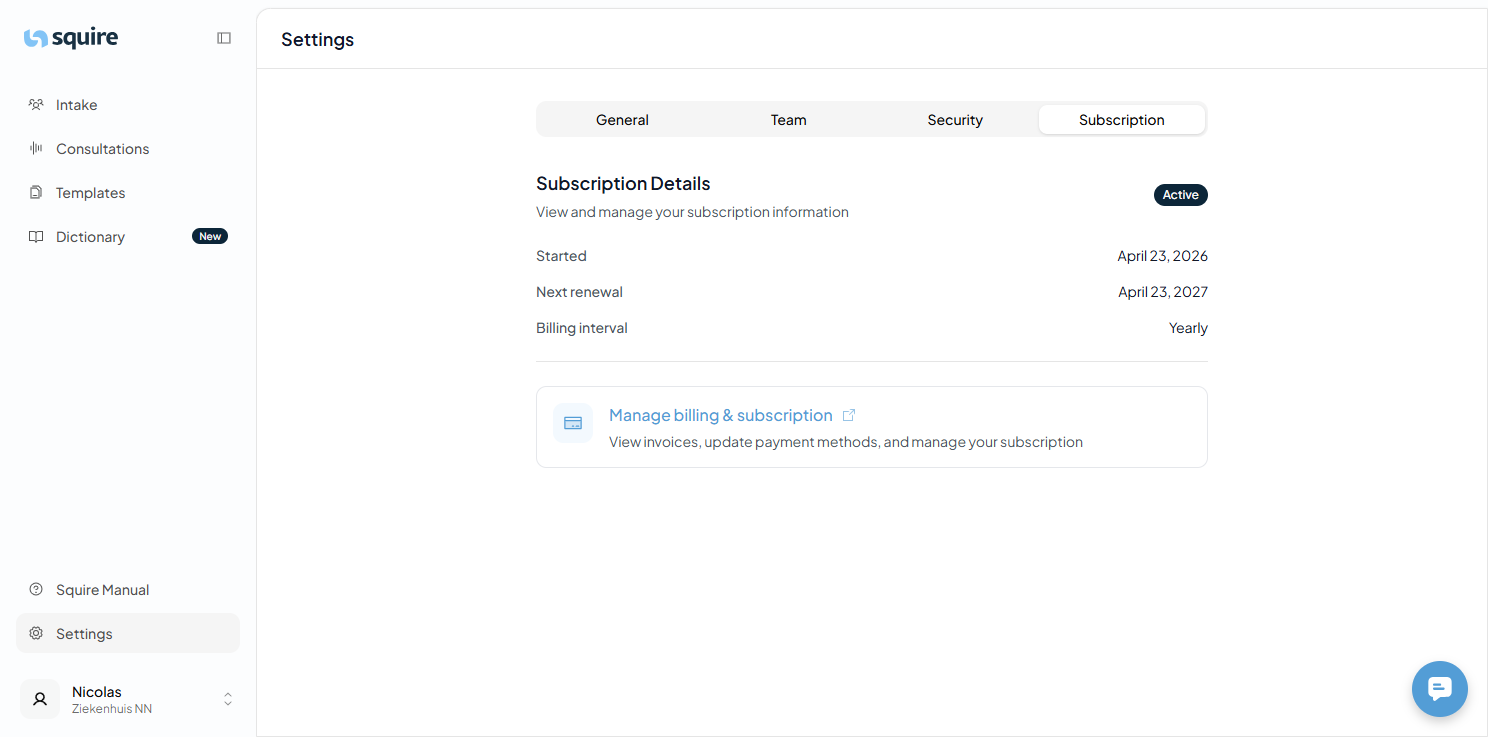
1. Access to the Subscription Overview
Squire partners with Stripe to keep your billing safe and simple.
Go to Settings.
Click on the Subscription option.
You will now see an overview of your current package and the button to go to the Stripe environment.
2. Modify Invoices and Payment Methods
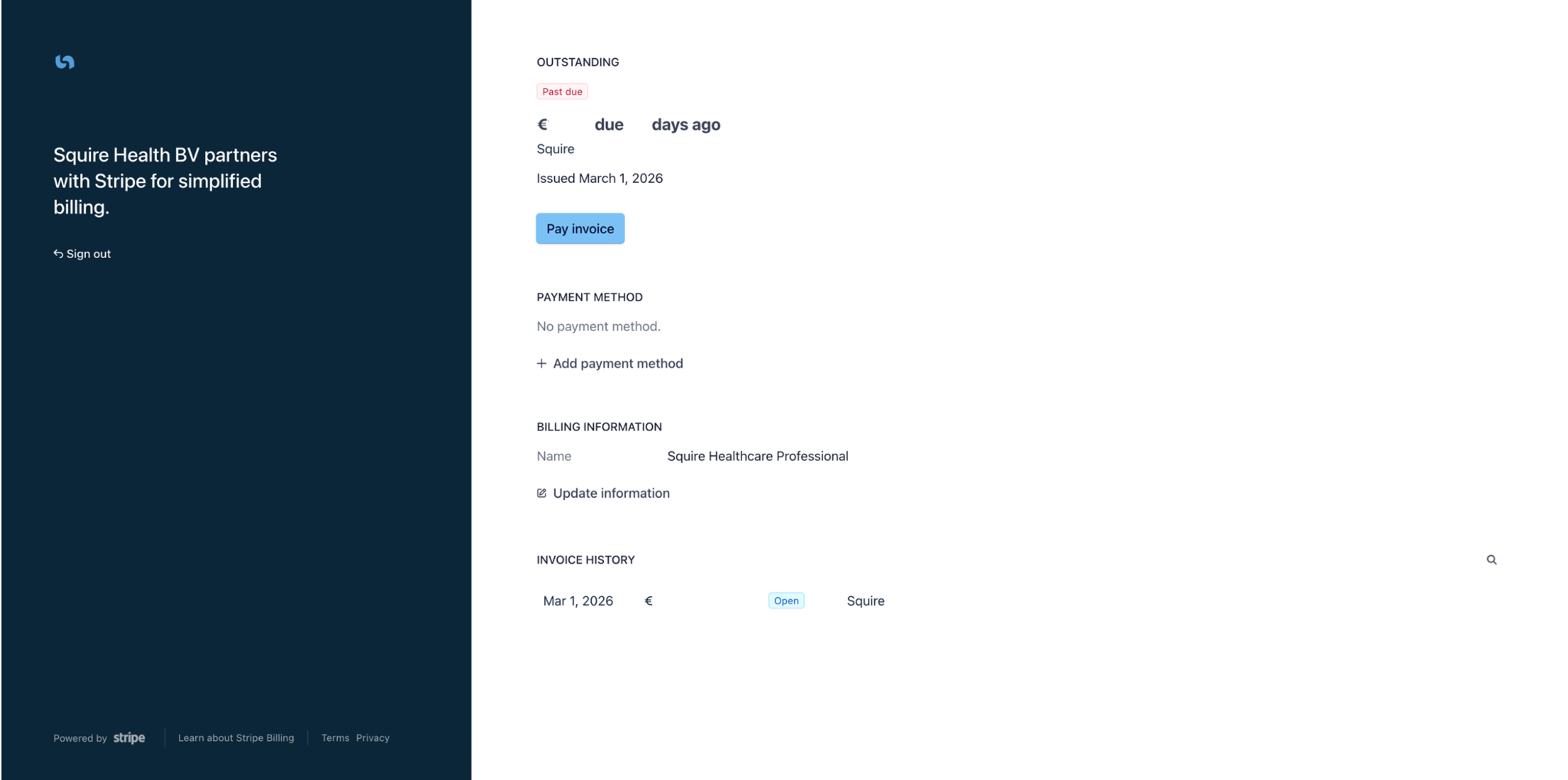
In the Stripe environment (as seen in your screenshot), you can manage the following:
Invoice History: Download previous invoices for your records.
Payment Method: Add a new credit card or change your SEPA direct debit details.
Cancel or Modify Subscription: Here you can adjust your subscription or confirm the cancellation.
Need Help with Your Invoice?
Having trouble navigating the Stripe environment? Our support team is happy to assist you. Contact Support