How do I start a dictation?
Written By Ignace Maes
Last updated 3 months ago
Use the dictation function to independently speak reports or summaries without a patient being present.
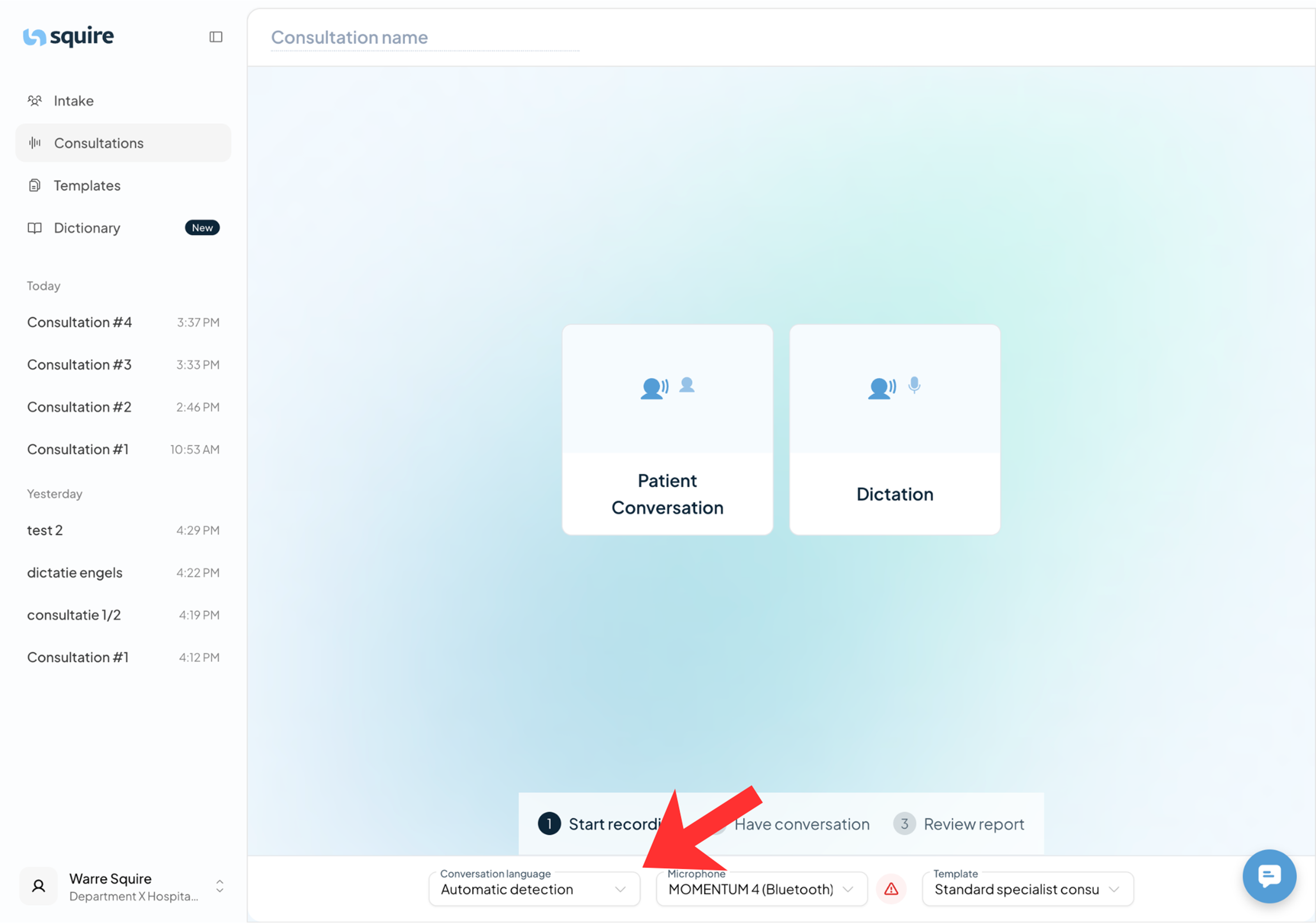
1. Adjusting the language setting (mandatory)
Unlike a patient conversation, the language cannot be automatically detected when dictating.
Navigate to the Consultation Screen.
Before pressing the button: locate the Language menu on the screen.
Manually select the language in which you will be dictating.
2. Starting and managing the dictation
Once the language is set correctly, you can start recording your report.
Click on the Dictate button.
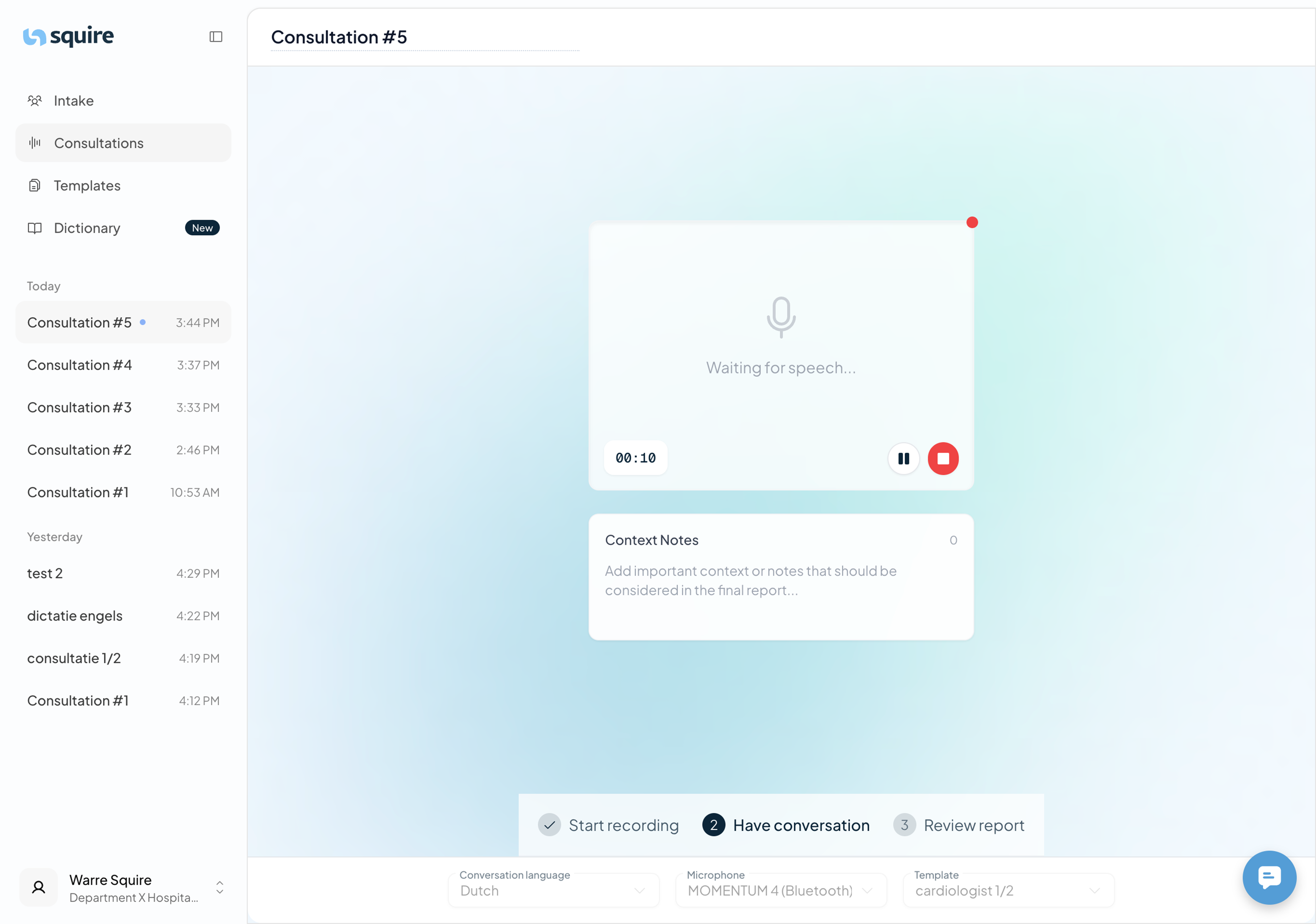
You will now enter the recording screen for dictations.
Use the buttons in the middle to manage your dictation:
Pause: To take a moment to think or consult your notes.
Stop: To finish the recording and have the report generated.
When do you use dictation?
To create a summary of a consultation that has already taken place.
To dictate preparations for multidisciplinary meetings or other documents.
When you want complete control over the structure of the report.