How do I convert a dictation into a report?
Written By Ignace Maes
Last updated 3 months ago
Use templates to transform your recorded dictation directly or afterward into a structured report.
1. Converting Directly After Recording
As soon as you finish your dictation, Squire immediately offers you the option to convert it into a report according to your templates.
Stop your recording.
Click on the desired template and Convert to Report to start processing into the template.
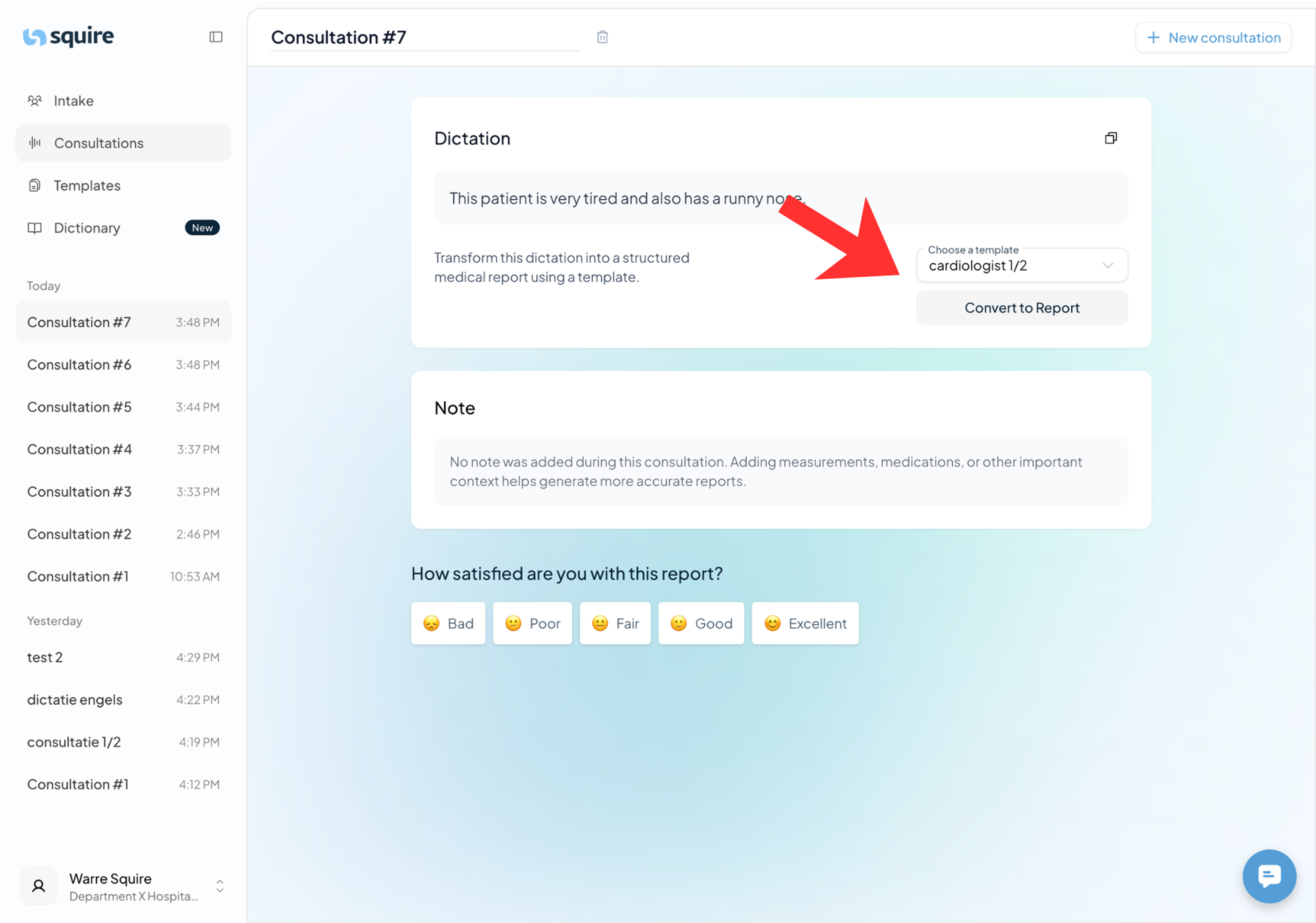
2. Applying a Template Later
Don't have time to make a choice immediately? No problem, you can always do this later.
Go to your overview of consultations and dictations.
Click on the dictation you want to convert.
Select the desired template to generate the report.
Why Use Templates?
Consistency: All your reports have the same professional layout.
Time-saving: The AI knows exactly where each piece of information should go based on the chosen template.
Flexibility: You can have the same dictation rendered in different templates if needed.