History and observations
Written By Ignace Maes
Last updated 3 months ago
During the consultation, add the patient's medical history, observations not mentioned verbally, or other matters as notes so that they are directly included in your final report.
1. Taking Notes During the Consultation
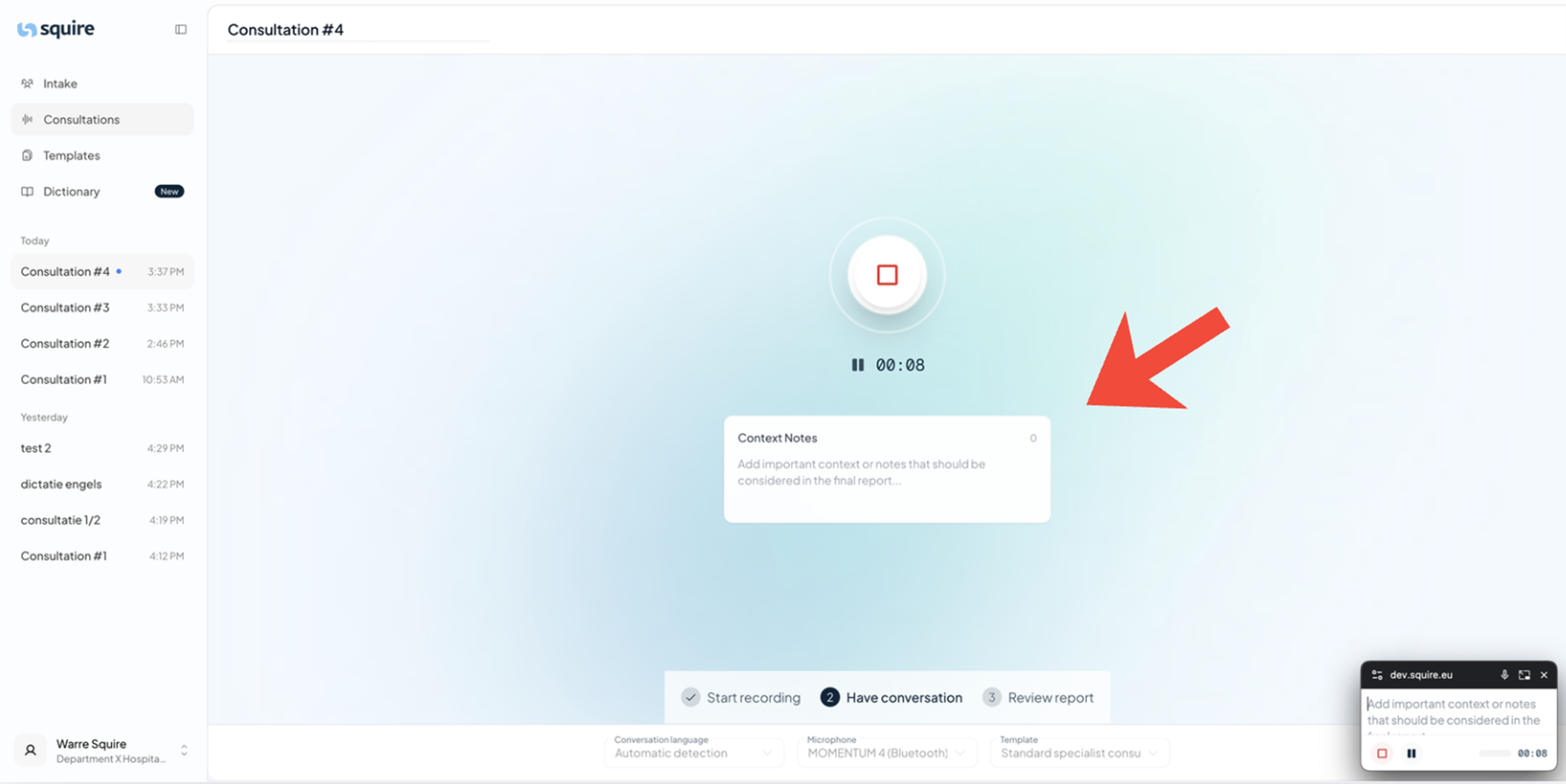
While the recording is in progress, you can directly type additional information to help the AI structure the report.
Start a Patient Conversation.
Below the timer, you will see a large white text area.
Type your notes here, such as the patient's medical history, observations not mentioned verbally, or other matters. Tip💡: If you add parts of previous reports, write "previous report(s):" above them.
2. Finding Your Notes in the Report
Once the consultation has ended and the report is generated, your handwritten notes remain preserved.
Open the completed report.
You will find your notes in a separate section at the bottom of the report.
This information thus always remains linked to the audio recording and the AI summary.
Why Use Notes?
Completeness: Capture details that the microphone might not pick up (such as non-verbal observations or reports from previous consultations with the patient).
Structure: Use keywords to guide the AI in the desired direction of the report.