How do I start, pause, and stop a consultation?
Written By Ignace Maes
Last updated 3 months ago
Learn how to record a conversation, pause for a private moment, and finalize the consultation for processing.
1. Starting a Consultation
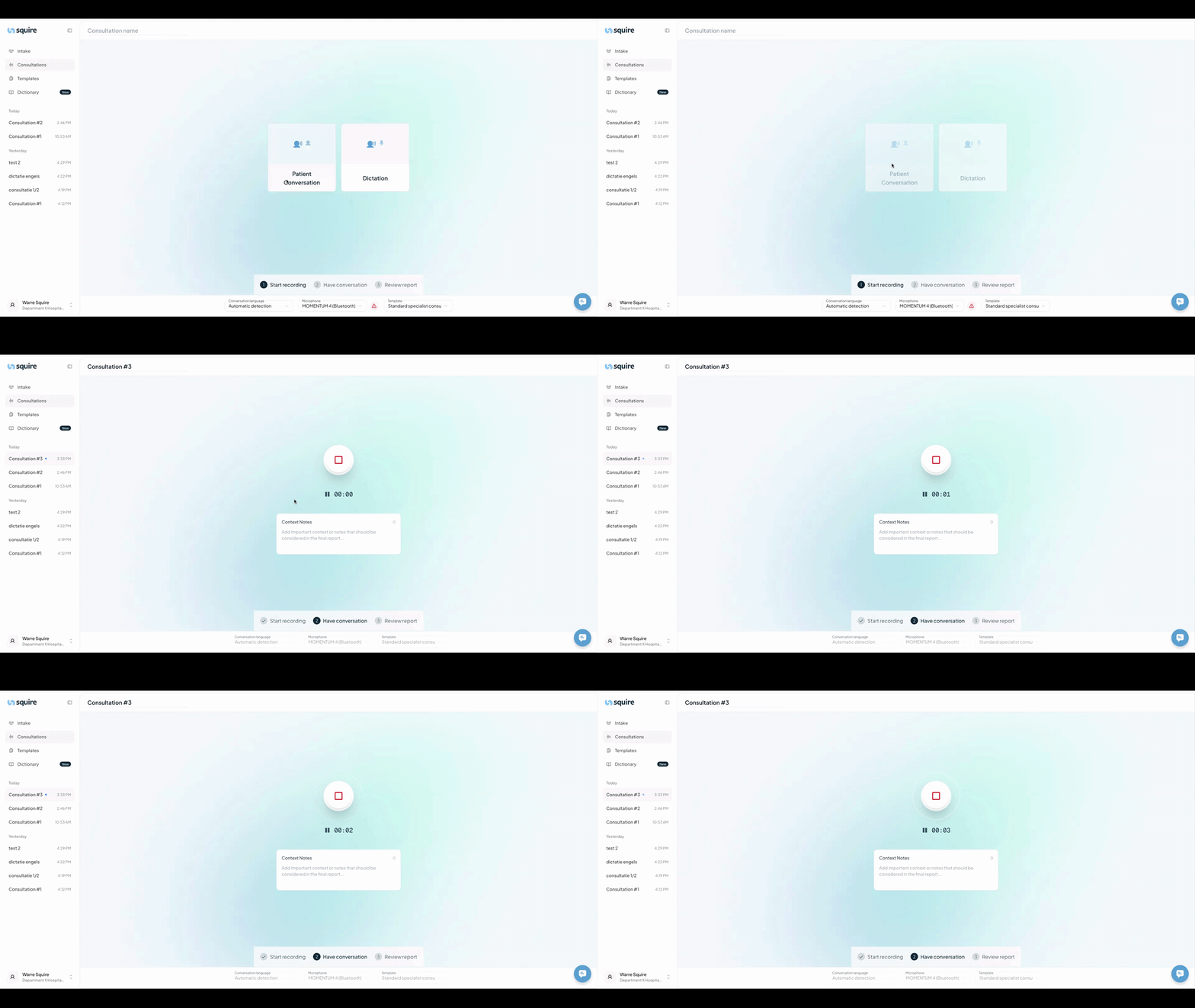
Go to the Consultations page in the main menu.
Click the Patient Conversation button.
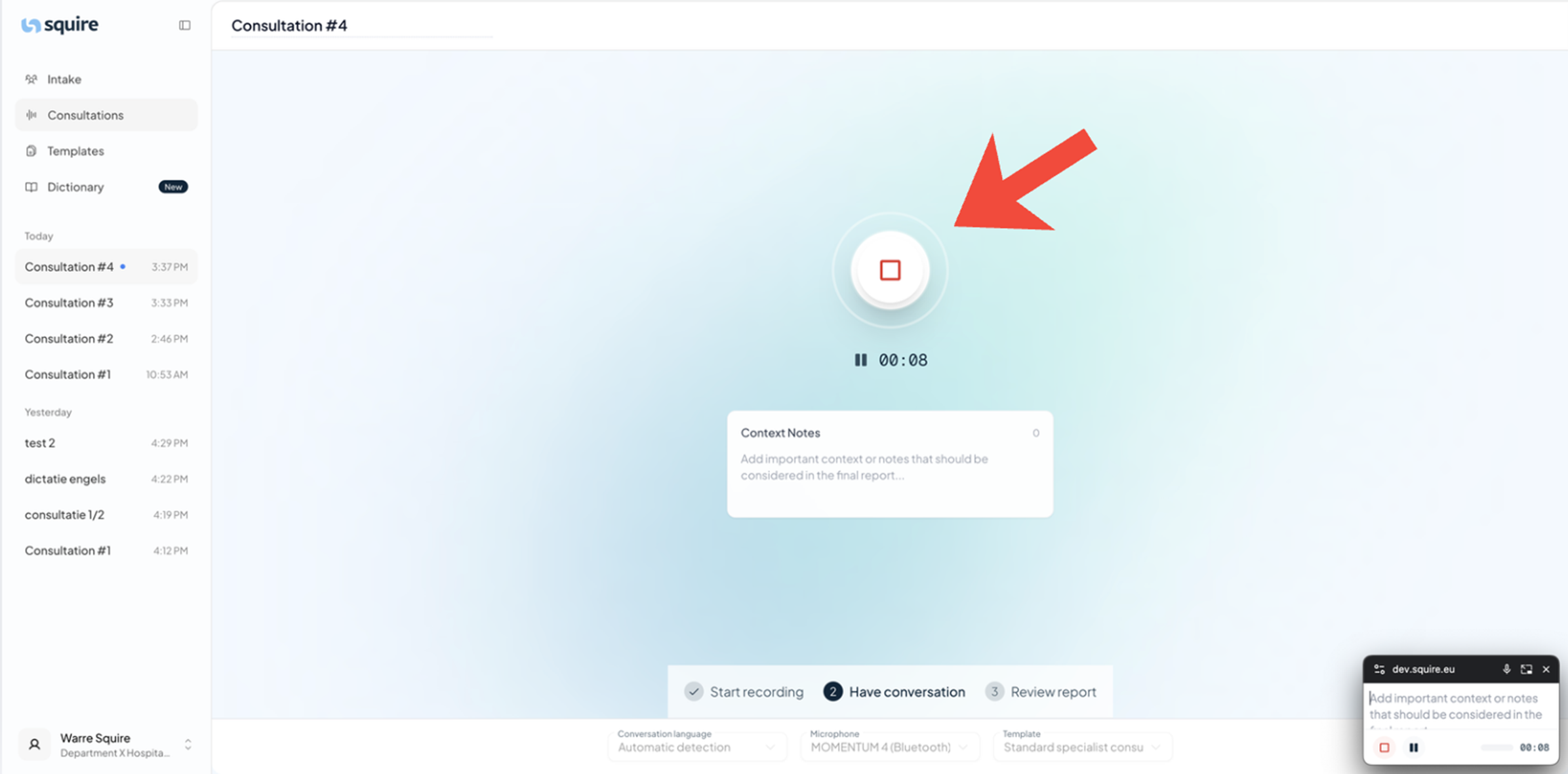
The recording starts immediately. You see the timer running and the recording button changes color.
2. Pausing and Resuming
Sometimes you want to pause the recording, for example for a brief consultation or a private moment.
Pause: Click the pause button (it is located directly under the large stop button).
Resume: Click the play button to continue the recording from where you left off.
3. Stopping the Consultation
Are you done with the conversation and ready for the AI to start working on the report?
Click the large stop button.
Your conversation is now securely processed into a medical report.