The dictionary: Typos and replacing words
Written By Ignace Maes
Last updated 3 months ago
Use the dictionary to ensure the spelling of specific terms or to automatically replace colloquial language with medical jargon (potentially long sentences) in your report.
1. Why use the dictionary?
Sometimes specific names (such as medications) are not immediately spelled correctly, or you want a word that you frequently pronounce in your report to always appear as an official medical term. The dictionary gives you that control.
Spelling: Ensure that specific names always appear correctly in your report.
Replacement: Automatically convert informal words (colloquial language) to professional language.
2. Adding words and corrections
In the sidebar on the left, go to Dictionary. Then click the + Add Word button to open the menu.
Option A: Add a word for correct spelling
Type the word as it should be spelled.
Click Save. Squire will now recognize and spell this word correctly.
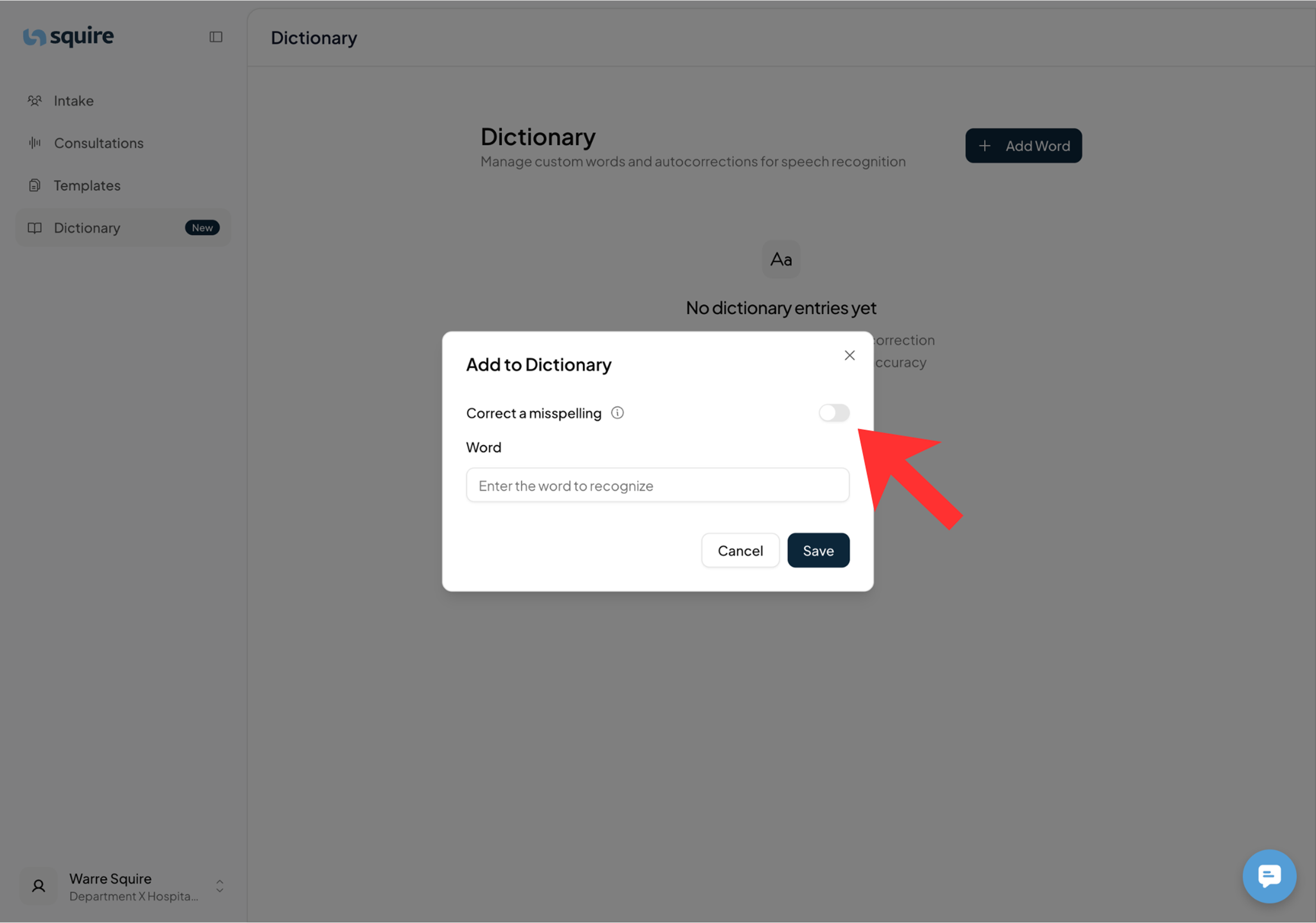
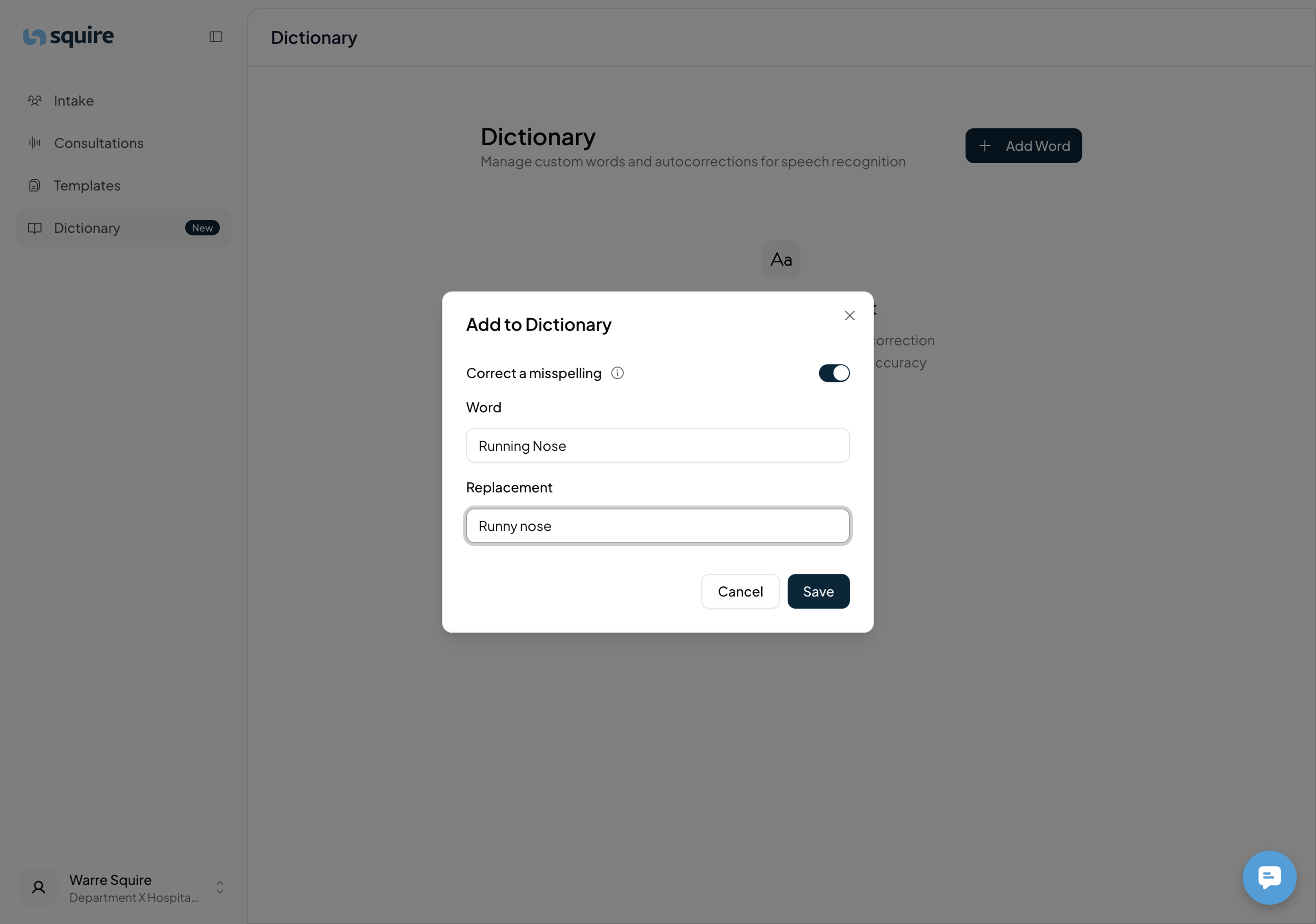
Option B: Add a correction (replacement)
Check the Correction option in the menu.
In the first field, type the word that needs to be replaced (what you say).
In the second field, type the word to replace it (what appears in the report).
Click Save.
3. Understanding your overview
After making adjustments, you will see two types of entries in the dictionary window:
Single word: Squire pays extra attention to the spelling of this specific word.
Two words with an arrow: This indicates an active replacement. The word on the left is automatically replaced by the term on the right in your report.