How do I use Squire and my EHR simultaneously?
Written By Ignace Maes
Last updated 3 months ago
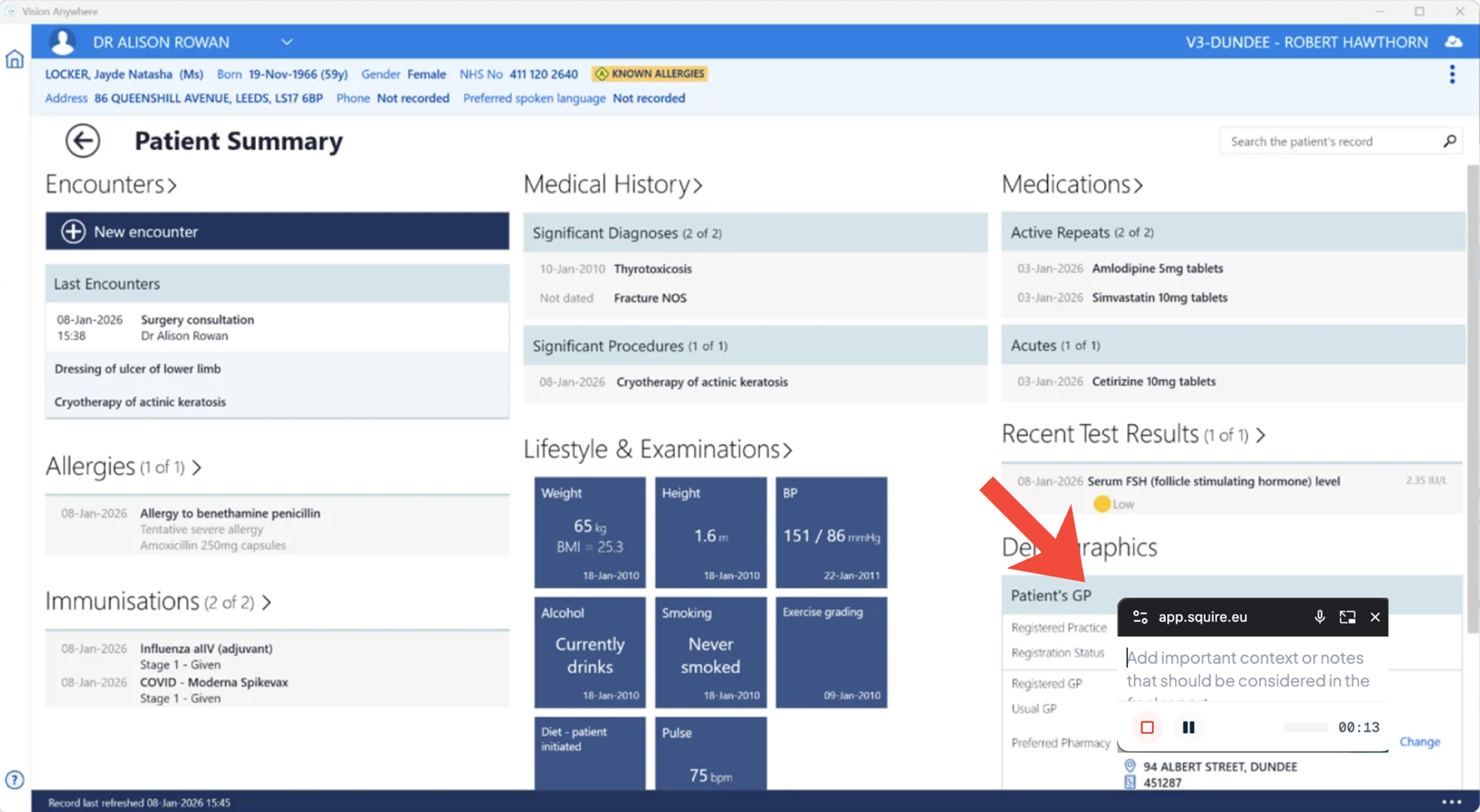
Use the floating consultation window to take notes and manage the recording while your EHR remains fully visible.
1. Activating the floating window
Once you start a consultation, Squire helps you stay organized.
Click on Patient Conversation to start the consultation.
An additional, smaller window automatically opens.
In this window, you can directly type notes and access the pause and stop buttons.
2. Working in your EHR with Squire in the foreground
The unique aspect of this additional window is that it is "detached" from your browser.
Open your EHR as you are accustomed to.
Move the small Squire window to a corner of your screen that you are not using.
As you type in the EHR, the Squire window remains visible in the foreground. This way, you can stop the recording without leaving your EHR.