Working with an MDM template
Written By Ignace Maes
Last updated 2 months ago
Use a specific template to directly convert your consultations or dictations into a structured preparation report for a Multi-Disciplinary Meeting (MDM).
1. Why an MDM Template?
An MDM requires a specific focus: key points, current status, and targeted questions for other specialists. By creating your own MDM template, you force the AI to:
Filter noise from the conversation.
Directly formulate the core of the issue.
Prepare a clear list for your fellow specialists.
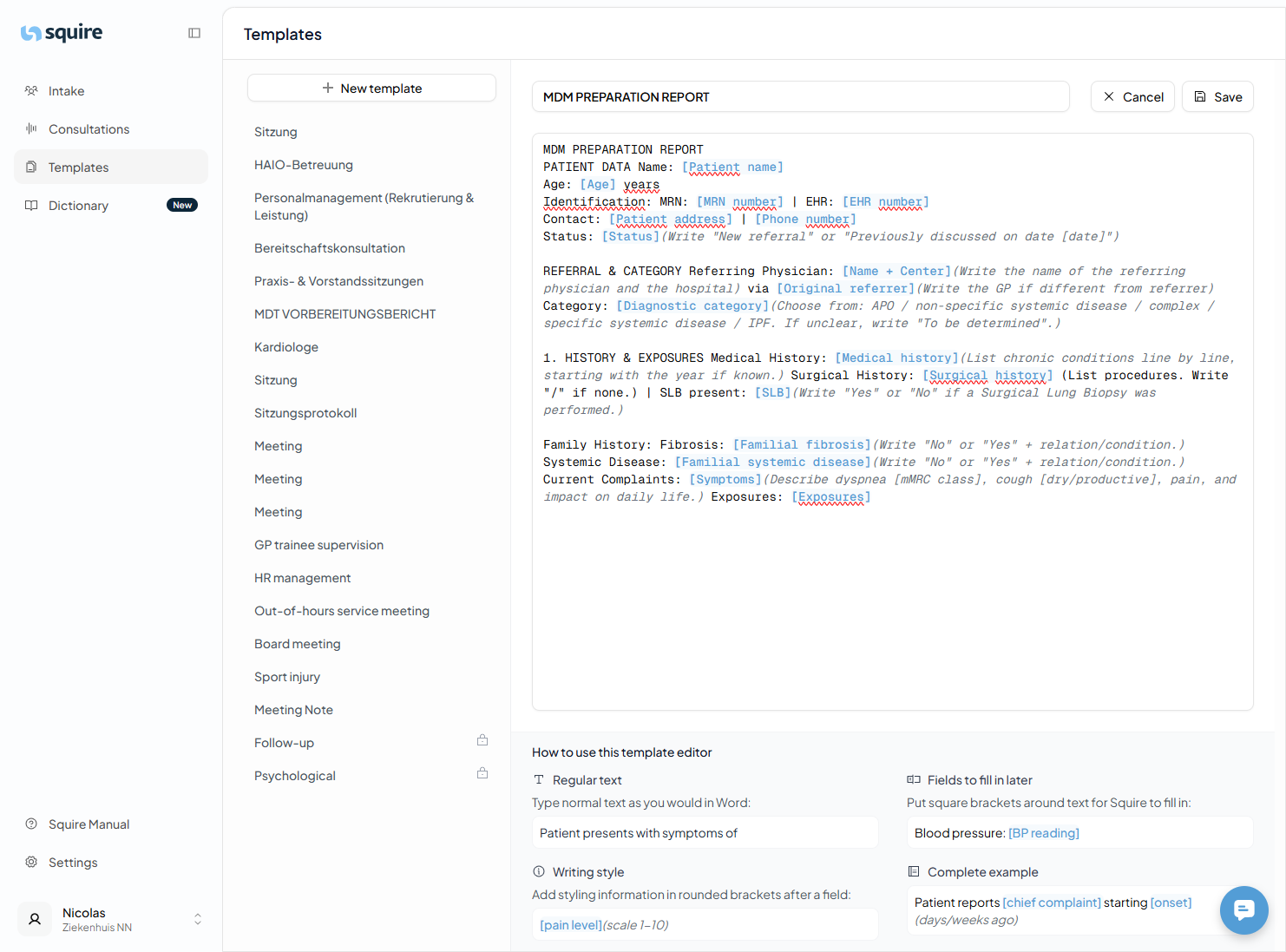
2. How to Set It Up?
You can easily create this template yourself via the Templates page:
Click on + New Template.
Name it "MDM Preparation".
Enter the instructions for the desired headings in the formatting field.
3. Applying the Report
Once your template is saved, you can use it immediately on any type of input:
After a consultation: Select the "MDM Preparation" template after recording.
Via dictation: Have you seen a patient and want to quickly create an MDM note? Dictate your findings and apply the template afterward.
Result: Squire immediately restructures your text into a professional preparation report that you can directly copy to your EHR or meeting document.