How do I use templates?
Written By Squire Support
Last updated 2 months ago
Templates give you full control over how your reports look. Whether you want to use a specific template for each type of complaint or prepare for a multidisciplinary meeting, you can adjust them to your liking at any time.
1. Your default template
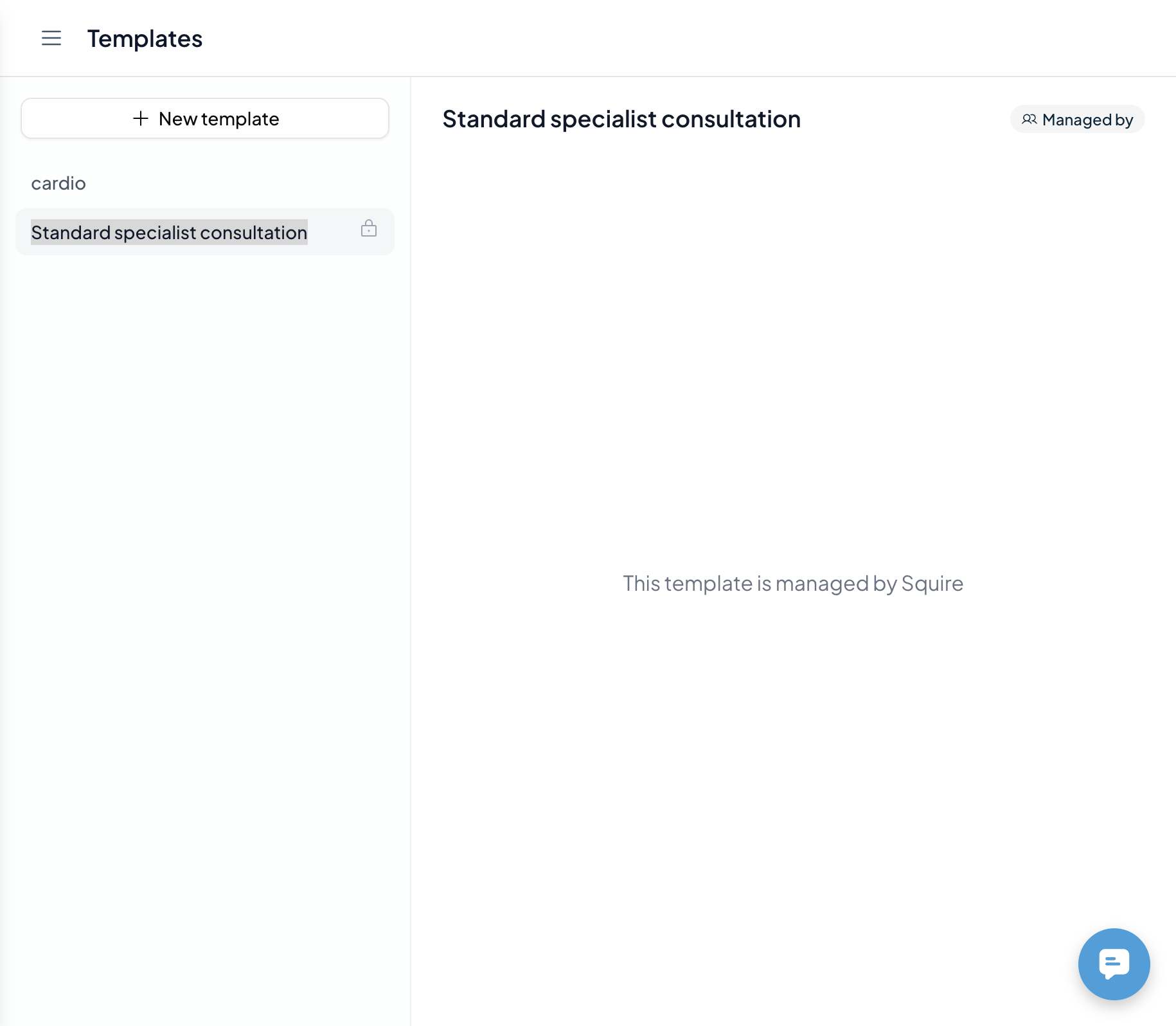
As a specialist, a Standard Specialist Consult template is immediately available for you. This is a very general template for all types of specialists that is not adapted to your writing style. You can find this template on the Templates Page in the sidebar.
After each consultation, a report is automatically generated based on this standard template if you do not create another template yourself.
2. Selecting a template for consultation/dictation
Do you know which template you need before the conversation or dictation? Then you can set this up straight away:
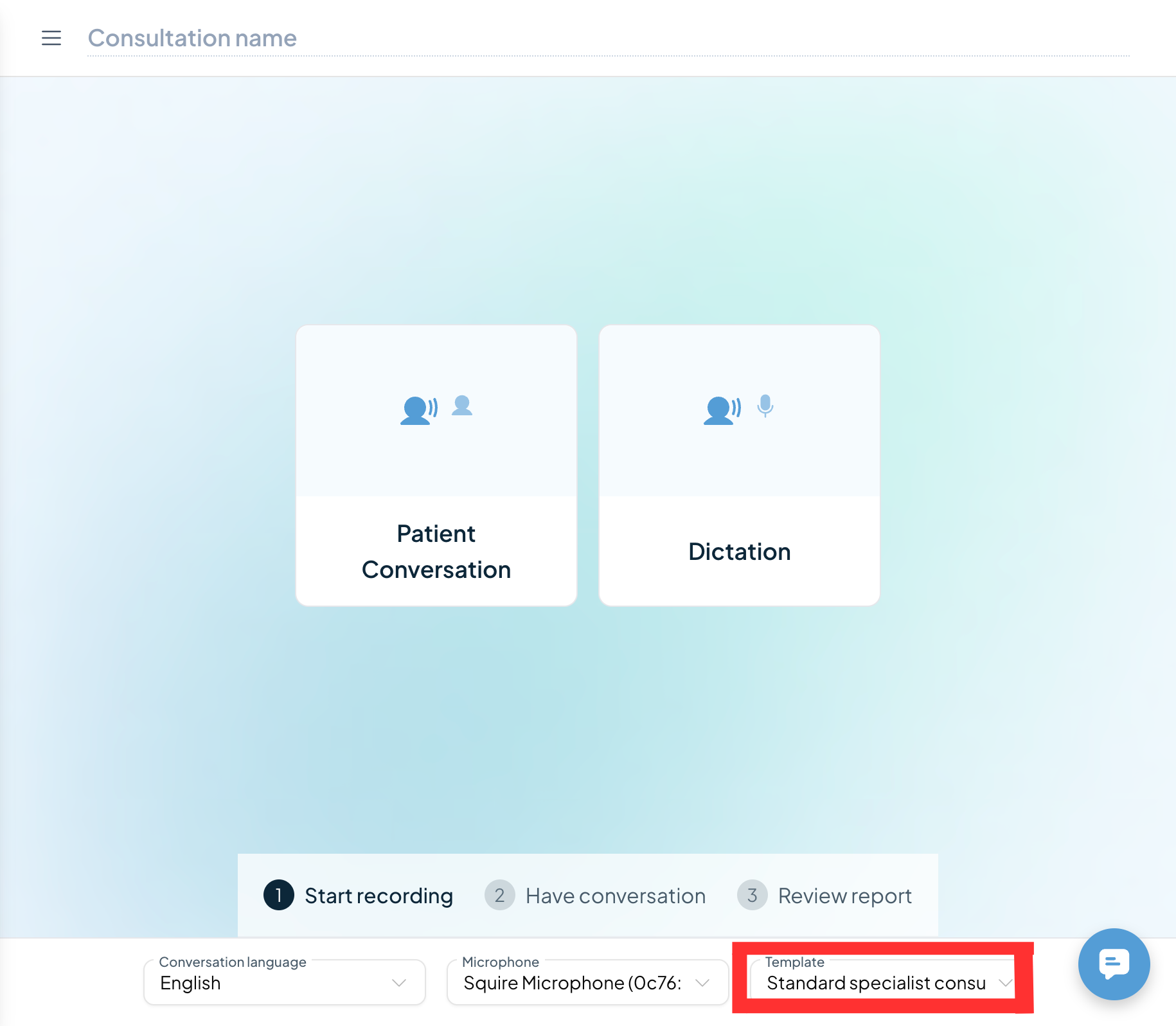
Please look at the bottom of the consultation screen before starting the recording.
Select the desired template for this specific conversation from the menu.
3. Changing templates after consultation/dictation
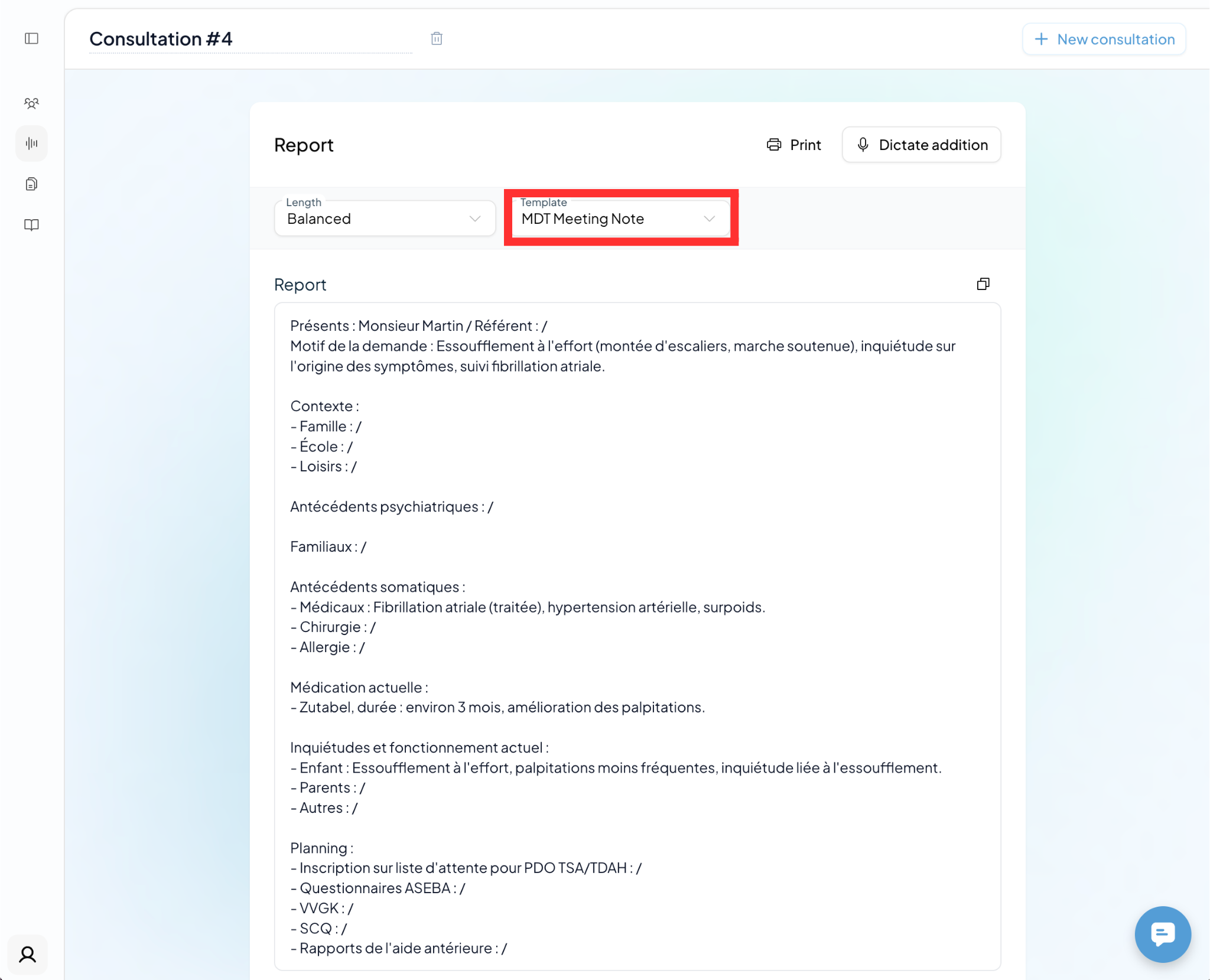
Have you already generated a report, but would you prefer the information in a different format? No problem. You can convert your report to a different template from your library at any time.
Here's how you do it: Click on the template area above your report and select the new template. The AI will immediately rewrite the information into the new structure.
💡Pro-tips for efficiency
For the best results, we recommend creating a separate template for each type of report. For example:
Initial consultation: For details such as an extensive medical history, status praesens, and anamnesis.
Follow-up/Check-up: A shorter focus on progress and management.
Referral letter: A clear, direct hand-over for the next practitioner.
MDO preparation: Specifically aimed at input for multidisciplinary meetings.
Result: The more specific your template, the less you have to adjust yourself. The AI recognizes exactly which information belongs in which section.